Built for Ring

Your cameras.
Put to work.

Home Field is a growing family of apps for Ring. Each one takes something your cameras already record and turns it into something you can actually use. Two are live today, and the third is on your TV.

Home Field Vault Every Ring clip, saved to your own Google Drive. See how Vault works → Home Field Coyote Cam A text the moment a coyote walks into your yard. See how Coyote Cam works → Home Field Big Screen Every Ring camera, live on the biggest screen in the house. See how Big Screen works →
See pricing ▶  Watch the demo
Free trial on every app · Billed through the Ring Appstore · Cancel anytime
Live in the Ring Appstore

Saved before it's gone.

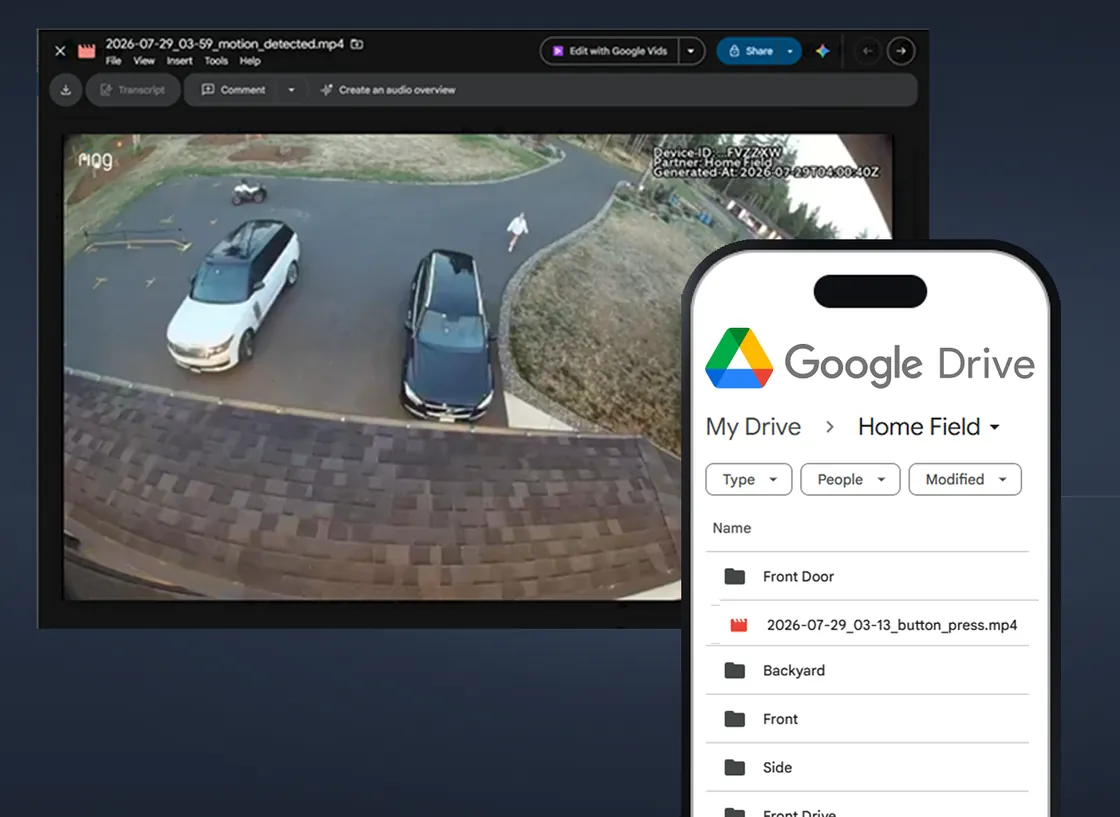
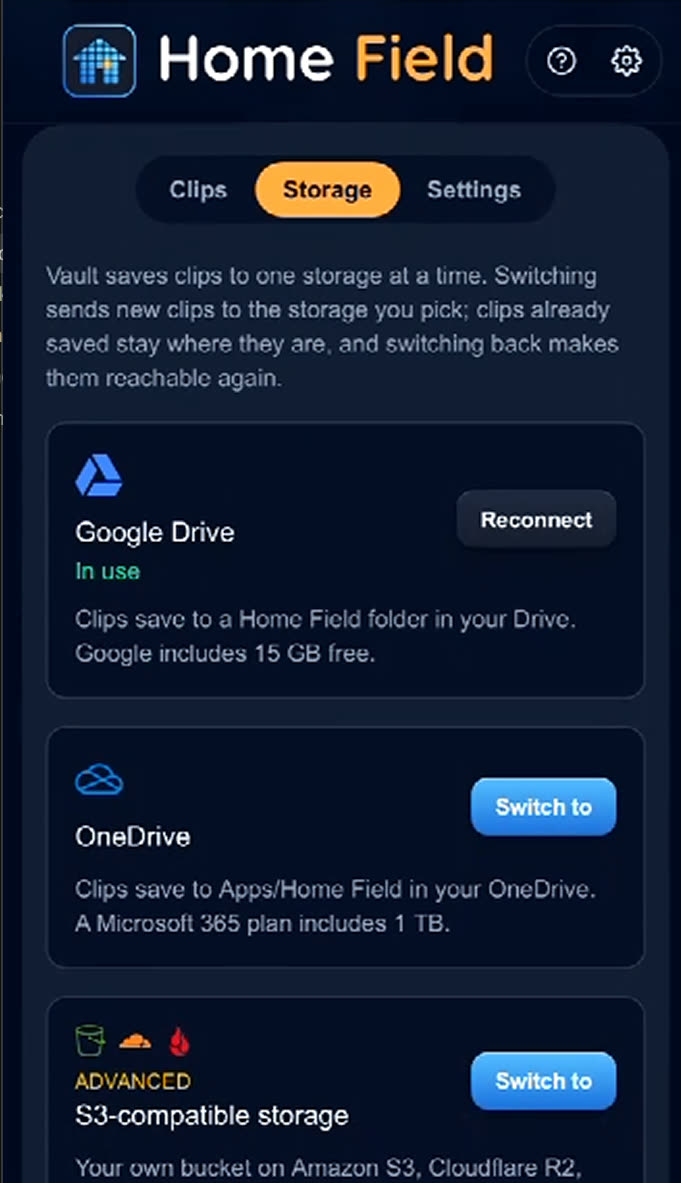
Ring keeps your clips for 60 to 180 days, then deletes them forever. Vault watches for every motion and doorbell event and streams the clip straight into your own Google Drive — filed under My Drive / Home Field / {camera}, named by date and event. Your video never touches a Home Field server.

  • Every clip protected from the moment you connect — nothing to remember, nothing to press
  • Files land in folders per camera, named by date and event, so you can actually find things
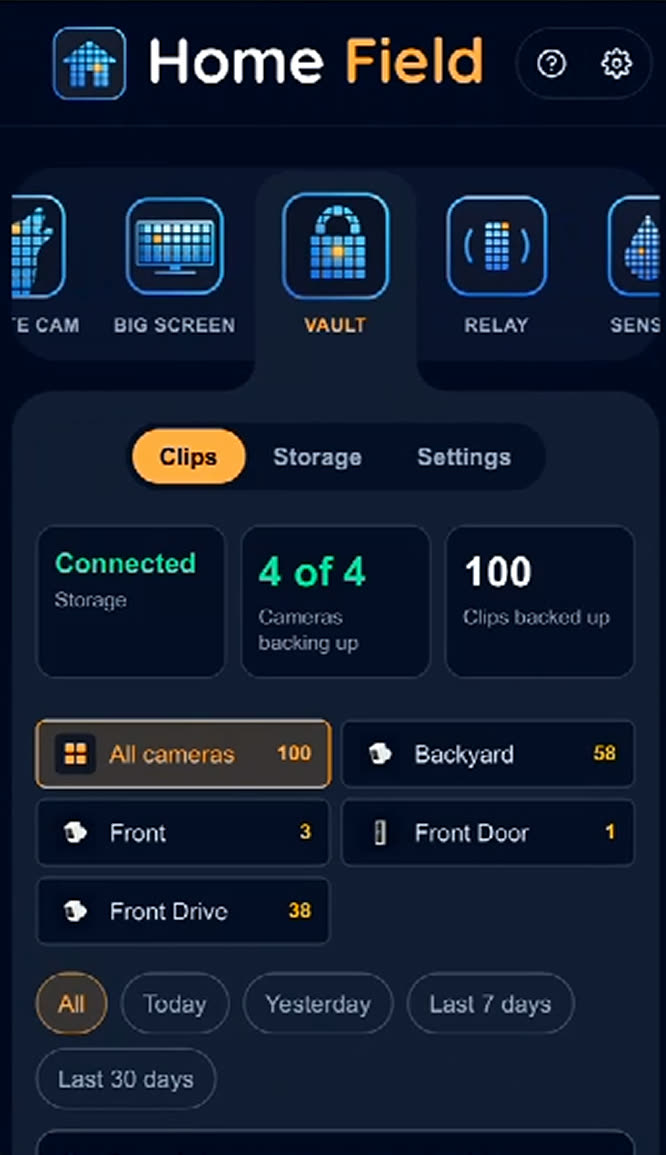
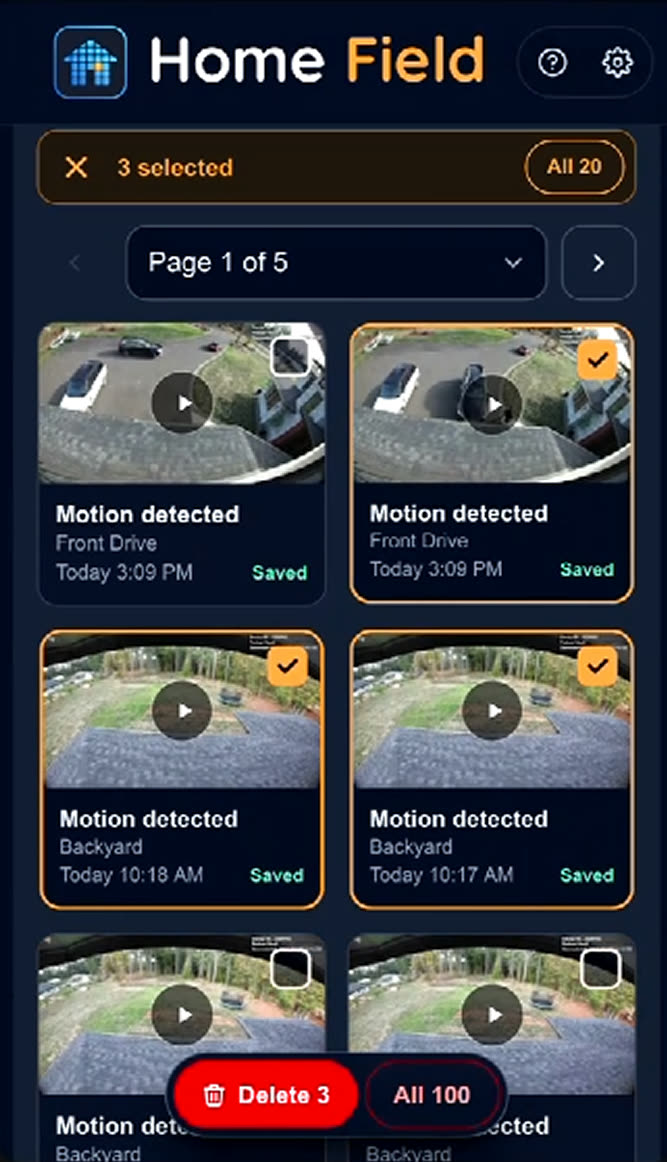
  • A searchable clip log in the app shows exactly what was saved and when
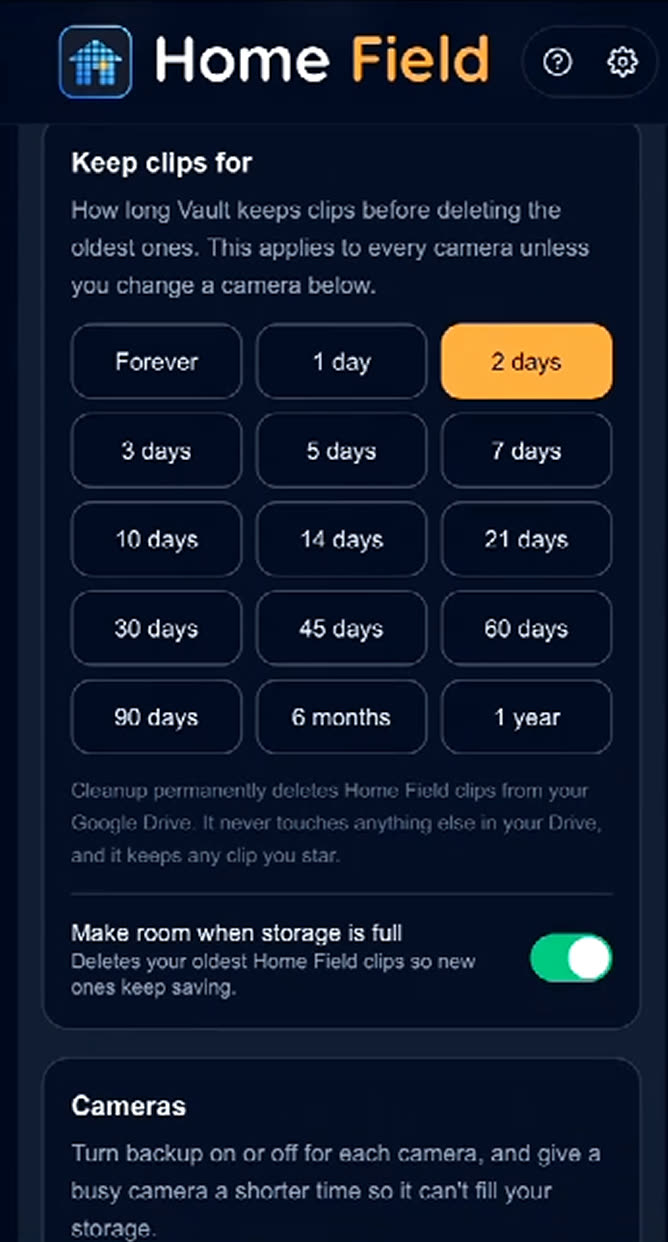
  • Per-camera toggles: back up the driveway, skip the one pointed at the compost pile
  • A monthly email recap of everything archived that month
  • Disconnect any time — everything already in your Drive stays yours
$2.99/month per camera · or $24/year
Start your 7-day free trial
A saved Ring clip open in Google Drive, next to the Home Field folder on a phone
Home Field Vault dashboard showing Ring and Google Drive connected, with a toggle per camera
Connect once. Pick your cameras.
The Vault clip log listing archived clips by camera and time
Every archived clip, searchable.
Vault settings showing Ring account, Google Drive, subscription and monthly recap email
Your account, in plain language.
In certification review

Know the moment a coyote shows up.

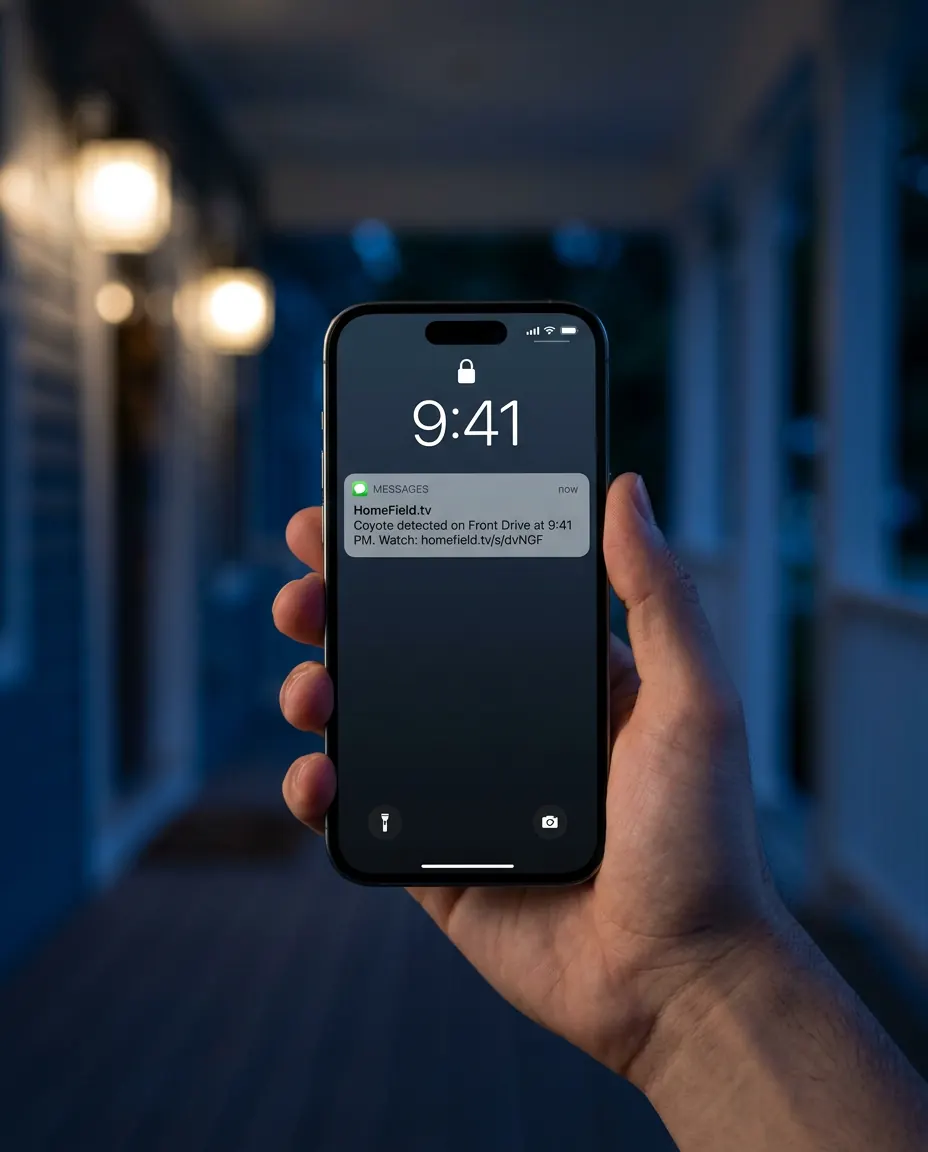
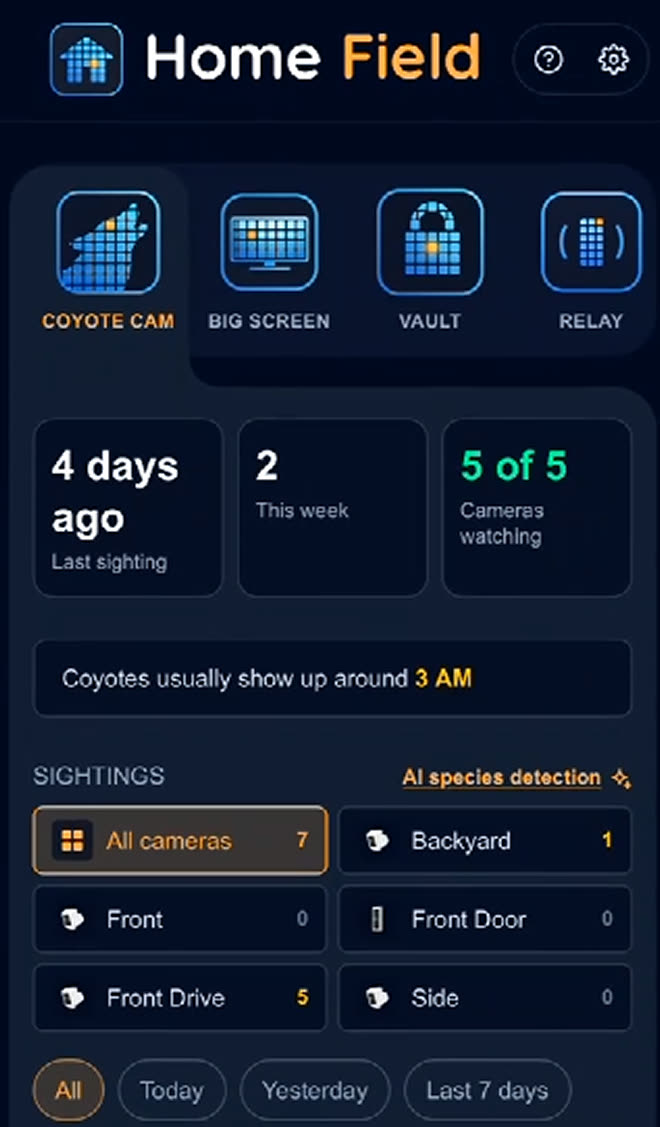
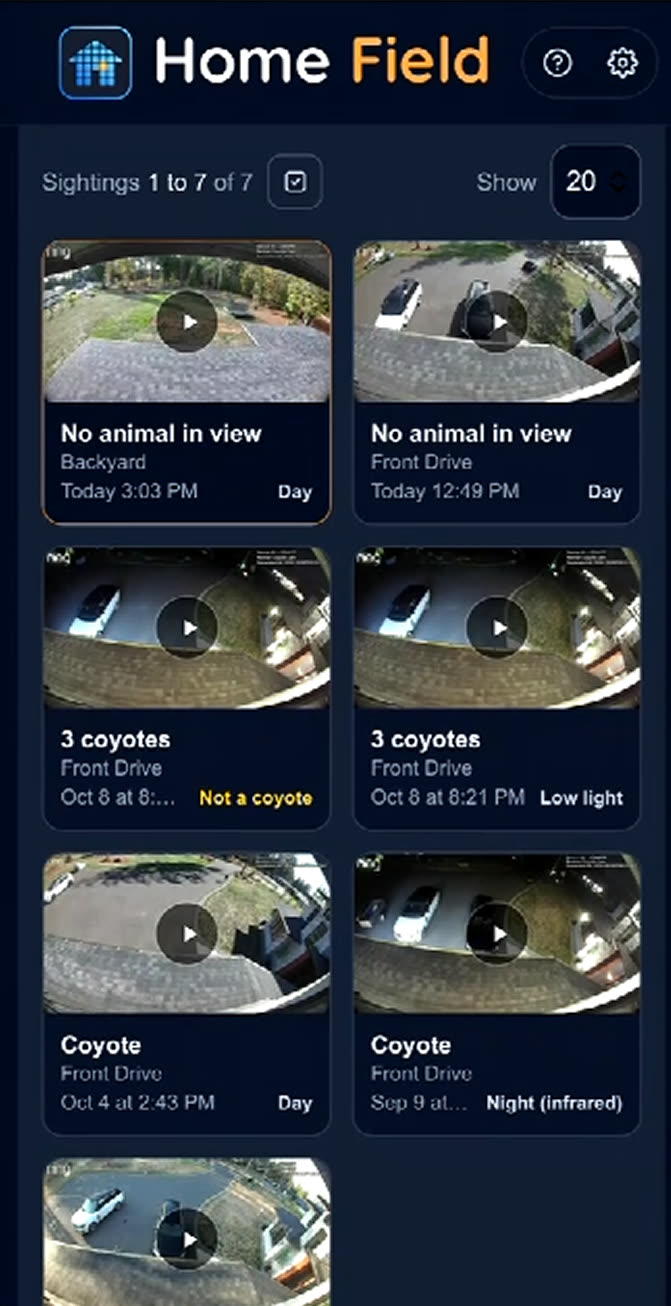
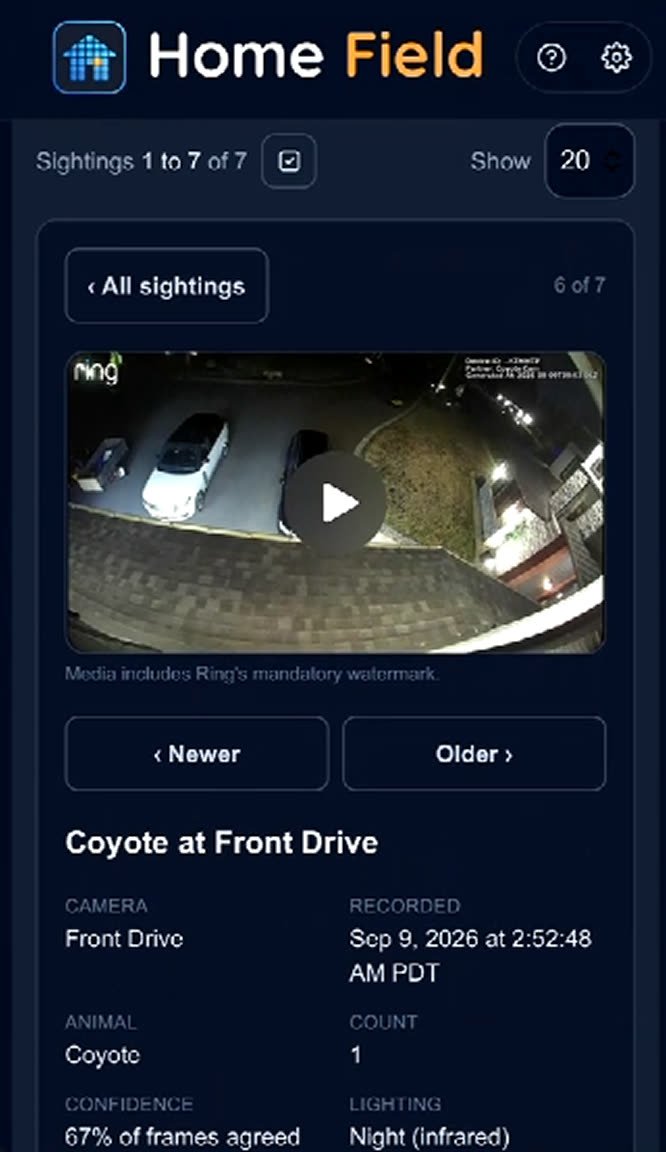
Coyote Cam reads every motion event your Ring cameras record and asks one question: was that a coyote? When the answer is yes, your phone buzzes within a minute — with the camera, the time, how many, and a link to watch the clip. Built to tell a coyote from the neighbor's shepherd, in daylight or night‑IR.

  • A text and an email the moment a coyote is detected, with a link straight to the clip
  • Trained on the hard cases — coyote vs. dog, vs. deer, vs. a cat crossing the drive
  • Works on night‑IR footage, which is when they actually show up
  • Every sighting kept with its confidence score and a page you can share with neighbors
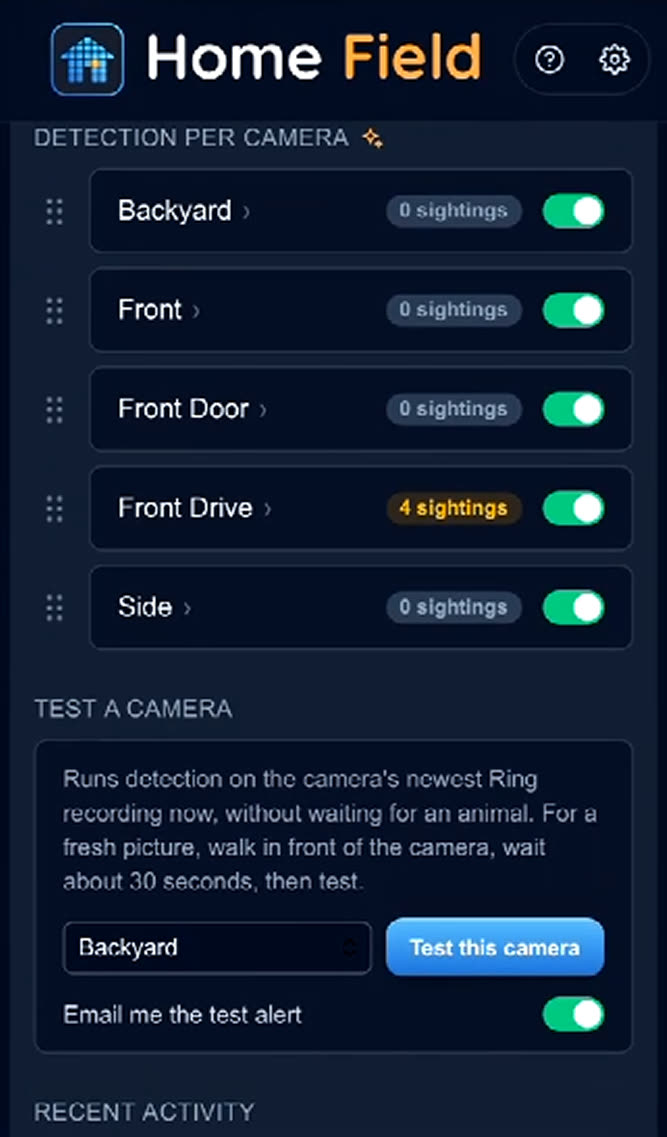
  • Per-camera detection with a running sighting count for each yard
  • Turn it on only where it matters — the drive and the back fence, not the doorbell
$1.99/month per camera · or $19/year
Get notified at launch
A phone on a porch at night showing a Home Field text: coyote detected on Front Drive
Coyote Cam dashboard listing recent sightings and detection toggles per camera
Sightings and cameras, one screen.
A Coyote Cam sighting page with camera, time, count, confidence and the night-IR clip
Tap the text, watch the clip.
Per-camera detection toggles with sighting counts
Detection on, yard by yard.
In App Store review

The whole property, on the biggest screen.

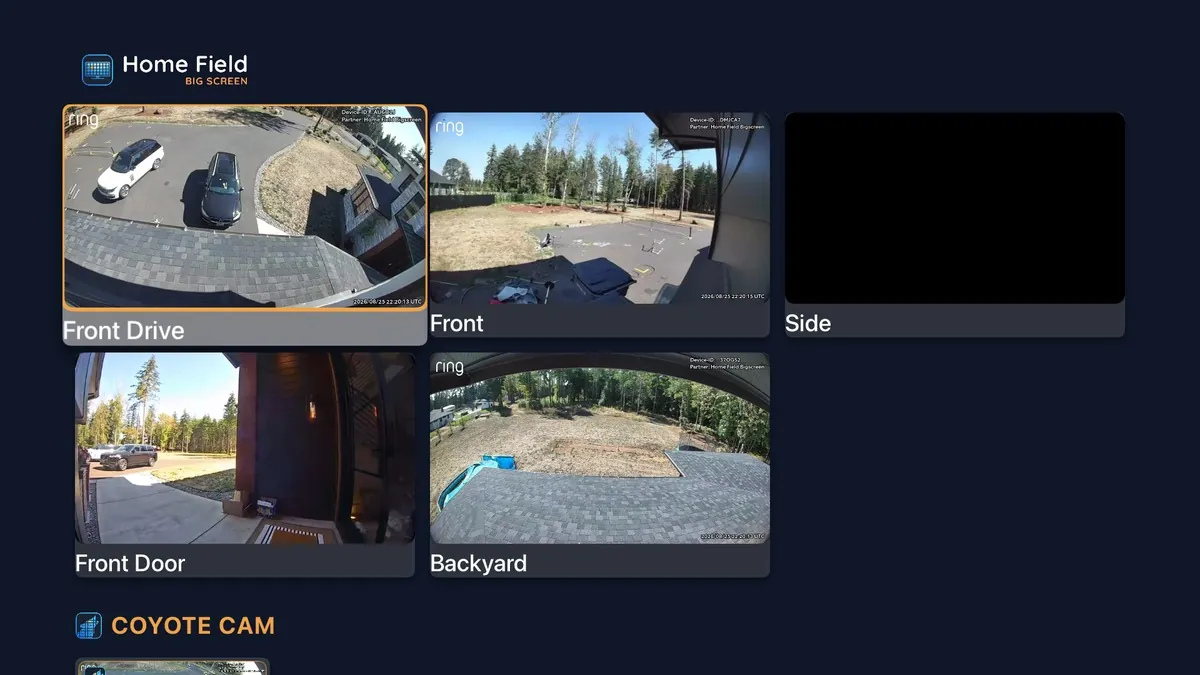
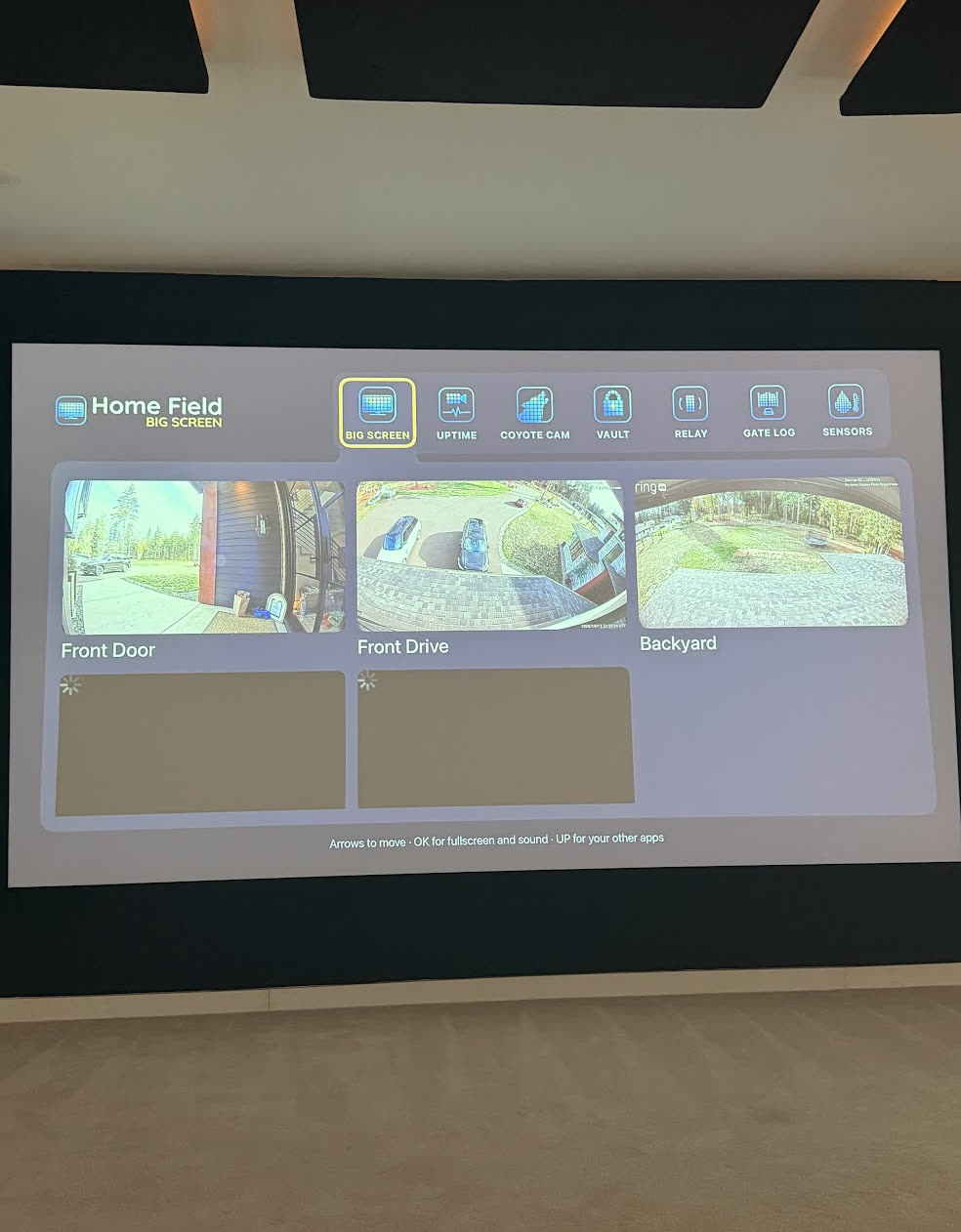
Big Screen puts every Ring camera you own on the TV at once. They come up live in one grid, each tile labeled with the camera's name and whether it's online. Open any one full screen with audio, or let Auto-Cycle walk the property while you get on with your day. Video streams from Ring straight to the TV — it never passes through a Home Field server.

  • Every linked camera and doorbell, live in one grid
  • Open any tile full screen, with audio, in one click
  • Auto-Cycle rotates through the property hands free
  • Camera name and online status on every tile
  • A camera that spotted a coyote in the last 24 hours lights up amber
  • Coyote Cam sightings and Vault clips sit on shelves under the grid
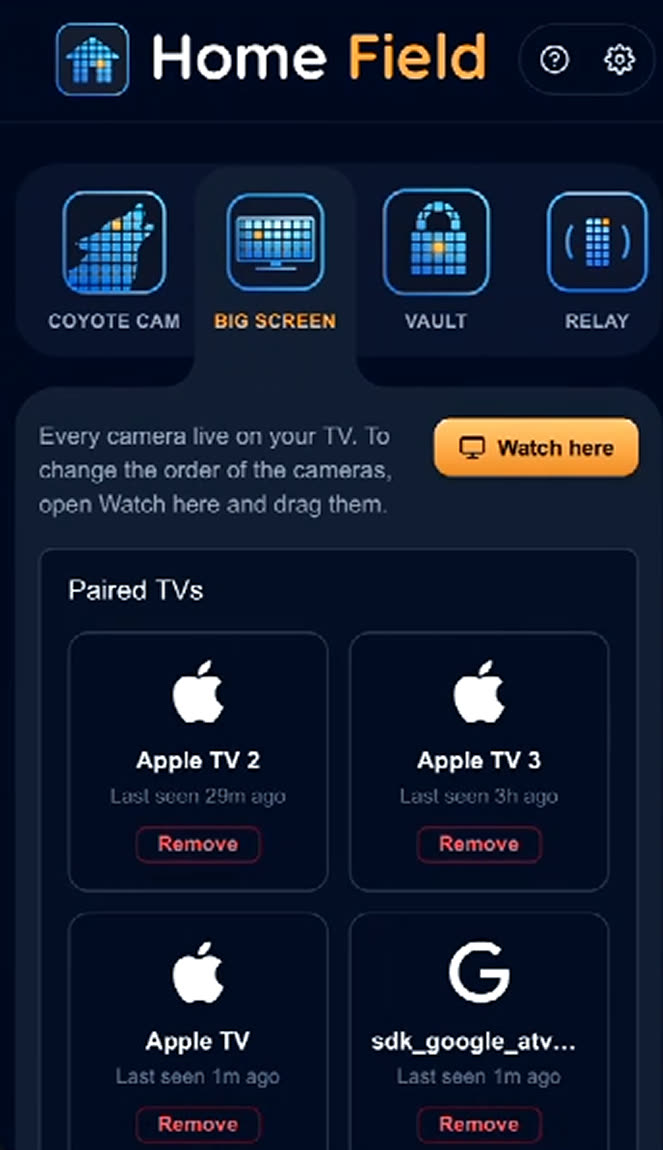
  • Pair with a code on the screen — your Ring password never goes near the TV
$6.99/month with Home Field Complete · or $59/year
Get notified at launch
Home Field Big Screen on a TV: five Ring cameras live in a grid, labeled Front Drive, Front, Side, Front Door and Backyard, with a Coyote Cam shelf below
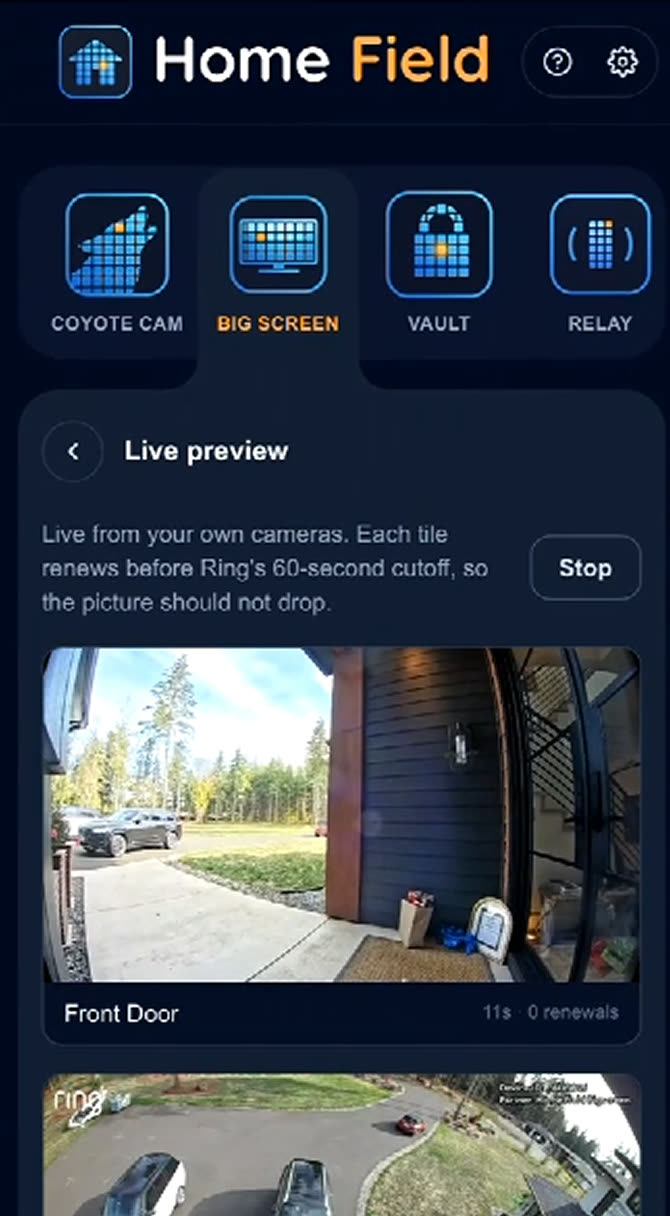
Home Field Big Screen running on a television next to the phone app, which lists each camera with its Coyote Cam and Big Screen toggles
The TV and the app, in step.
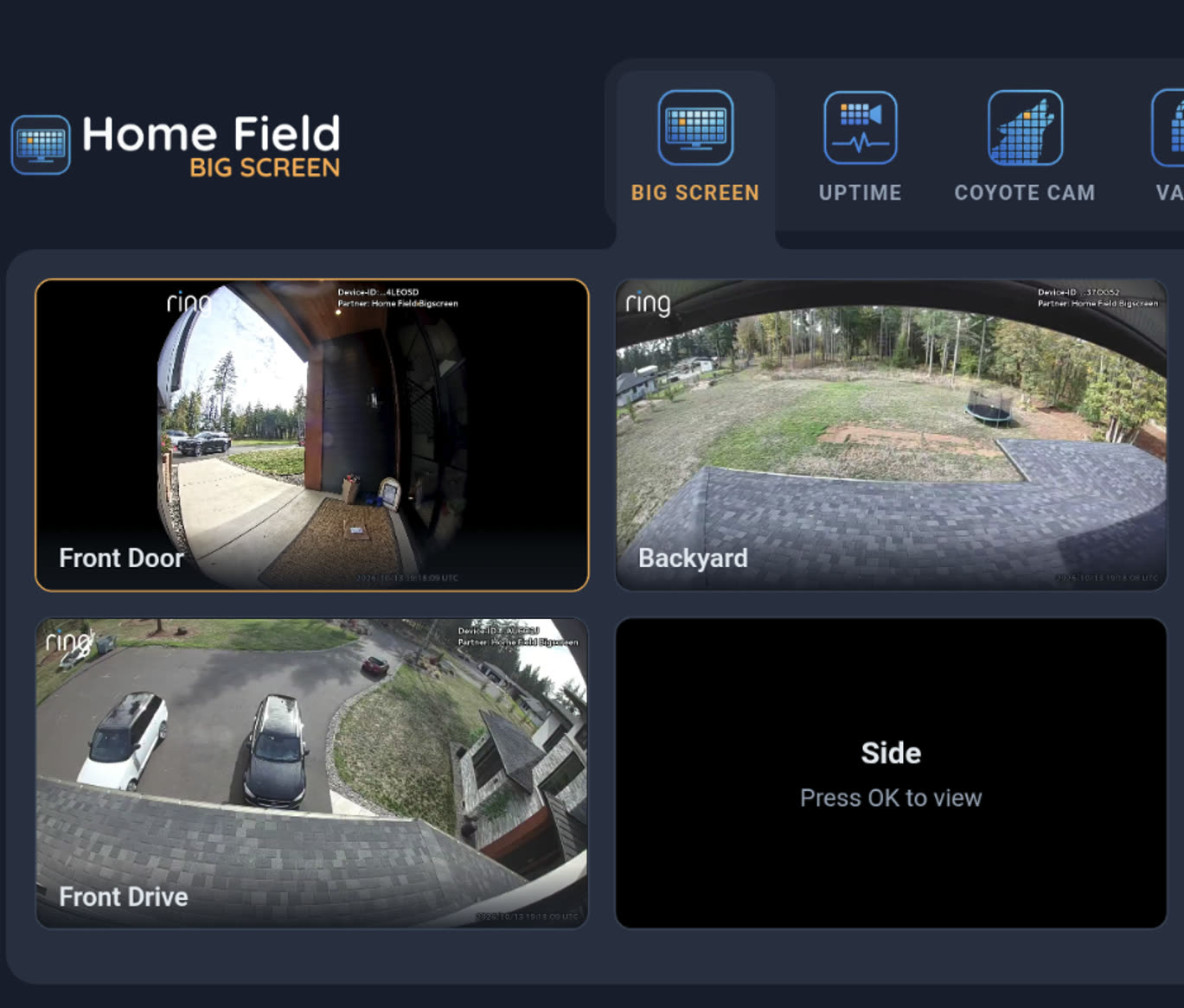
The Big Screen layout: four camera tiles with names and timestamps, a device health chip, and the night's summary along the bottom
Four tiles, named and timestamped.

Apple TV first

Version one runs on Apple TV, tvOS 17 or later. Samsung and more TVs are in the works — we'll say which, and when, rather than promise a lineup.

A code, not a password

The TV shows a pairing code and you claim it from your phone. The TV never holds a password, and you can revoke any TV from your dashboard.

Name every television

Living Room, Kitchen, the one in the shop. Each pairs on its own and shows up by name, so revoking the right one is obvious.

Live view, not playback

Big Screen shows what your cameras see right now. Saved clips are Vault's job, and the Vault shelf sits right under the grid.

Ready to see how it works?

A preview of Doorbell takeover, the module that follows Big Screen onto the TV. Press play.

4 cameras live 8 devices healthy 9:42 PM
LIVE Visitor at the door Front Door 21:42:17
Driveway 21:42:17
Back Yard 21:42:17
Side Gate 21:42:17
On the way

The field keeps growing.

Vault, Coyote Cam and Big Screen are the first three. Each new app takes one more thing your Ring cameras already do and makes it worth something — and the next ones build on the TV that Big Screen already lit up.

More screens

Big Screen, on more TVs.

Apple TV is version one. A Samsung build already runs, LG is close behind it, and Fire TV is under test. We name a platform when it works on real hardware, not before.

Doorbell

The door answers on screen.

When someone rings, the front camera takes over the TV so you can see who it is without reaching for your phone. It hands the screen back when they leave.

Recap

Catch up in two minutes.

A nightly reel of everything your cameras saw: motion, people, vehicles, and who came to the door. Watch it on the TV or get it in your inbox.

Next

One camera, many jobs.

Coyote Cam proved the pattern: point good detection at footage you already pay for, and a camera starts answering questions. More apps in that shape are in the works — tell us what your yard keeps arguing about.

Your storage, not ours

Clips stream straight into your Google Drive. Zero video ever sits on Home Field servers.

Honest by design

Ring watermarks all media served to apps. You'll see it in every screenshot here, because it's real.

Works with your Ring plan

Connects through Ring's official developer platform with your existing subscription.

No new hardware

The cameras you own, the TV you own, the storage you own. Home Field just connects them.

Recap

Your evening, in order.

Stop scrubbing through forty notifications. Recap assembles the day into one clean timeline: what moved, who came by, what got delivered, and anything that broke the usual pattern.

  • Built from events and snapshots, ready every evening
  • On the TV as a lean-back reel, or in your inbox
  • Flags the unusual, skips the squirrels
Tonight's Recap Sat Jul 5 · 14 events
8:12 AMFirst motion of the day, Front Door
9:14 AMVehicle in the Driveway, 2 minutes
2:02 PMPerson in Back Yard, 4 minutes
6:03 PMDoorbell, visitor at Front Door
9:42 PMLast motion of the day, Side Gate
Field notes

Built for how homes actually live

V
The Vacation Checker
Two weeks away, zero worry
One glance at the rental's TV before bed: every camera live, every one of them quiet, all eight online. The whole property answers in half a second. That's the entire point.
Away mode · Big Screen
P
The Package Defender
Porch pirates, meet paperwork
Two boxes walked off the porch last year. Now every delivery clip lands in my Drive before the truck leaves the street, named and dated, ready to send.
Deliveries · Vault
C
The Caregiver Next Door
Mom's porch on the kitchen TV
Morning motion on her porch means coffee's on and all is well. No indoor cameras, no creepy check-in calls. Just her yard, quietly in the corner of ours.
Family · Big Screen + Recap
A
The Archive Keeper
Never lose the clip that matters
Ring deleted the one clip we actually needed, sixty-one days after the fact. Never again. Every clip since March is in our Drive, organized by camera.
Keeps · Vault

Four homes, one field

Tap a home to see its story
Early access is rolling out now. Real homes, real quotes, coming with launch.
How it works

Three steps. Ten minutes.

01

Connect your Ring account

Secure sign-in through Ring's official developer platform. Home Field never sees your Ring password.

02

Pick your cameras and your Drive

Choose which devices to back up and where clips should land in your Google Drive. Toggle any camera, any time.

03

Let the house run itself

Clips flow into your Drive from the moment you connect. Add a TV whenever you want one: Big Screen puts a pairing code on the screen and you claim it from your phone.

Pricing

Start with Vault. Grow into the whole field.

In certification review

Coyote Cam

Know the moment a coyote shows up
$1.99/month per camera
or $19/year per camera · 2 months free · 15-day free trial
  • Instant text and email alerts with the photo
  • AI built to tell a coyote from a dog — day or night‑IR
  • Every sighting saved with a shareable clip
  • Learn when coyotes visit each camera
  • Enable only the yards that matter
Get notified at launch
Coming with the TV launch

Home Field Complete

Every camera live on your TV
$6.99/month
or $59/year · Vault subscribers upgrade seamlessly
  • Everything in Vault and Coyote Cam
  • Big Screen: every camera live on your TV
  • Auto-Cycle walks the property on its own
  • Nightly Recap on the TV and in your inbox
  • Doorbell takeover while you watch
Join the waitlist
Requires an active Ring subscription · Billed through the Ring Appstore · Cancel anytime
FAQ

Fair questions.

Do I need a Ring subscription?

Yes. Ring requires an active Ring plan to use any app from the Ring Appstore, including Home Field. If your cameras record today, you're set.

How does the free trial work?

Vault is free for the first 7 days, Coyote Cam for 15. The trial starts when you add the app in the Ring Appstore and rolls into a paid subscription after that unless you cancel. Cancel from the Ring app: menu (≡) → My Apps → Home Field.

Where do my clips actually go?

Into a Home Field folder in your own Google Drive, organized by camera and date. We use the narrowest Google permission that exists: Home Field can only touch files it created, nothing else in your Drive.

Can you see my video?

No. Clips stream from Ring directly into your Drive. Nothing is stored on our servers, and we couldn't watch your footage if we wanted to. That's not a policy, it's the architecture.

Why is there a Ring watermark on the clips?

Ring adds a watermark to all media it serves to third-party apps. Every app on the Ring Appstore has it. We'd rather show it to you honestly than hide it in marketing shots.

Which TVs does Big Screen support?

Apple TV first, on tvOS 17 or later. A Samsung build already runs and LG is close behind it, but neither is in a store yet, so Apple TV is the one to count on today. Join the launch list and we'll tell you the moment yours is supported.

Do I have to sign in on the TV?

No. Big Screen shows a pairing code on the screen and you claim it from your phone or laptop. No password is ever typed on a remote, and the TV never holds one. Revoke any television from your dashboard and it stops working immediately.

Does Big Screen drain my battery cameras?

Live viewing draws battery on any camera, in any app, including Ring's own. That's why Auto-Cycle is on by default: it dwells on one camera at a time and closes the session before it moves on, instead of holding every camera awake all day.

What happens if I cancel?

Everything already saved in your Drive stays yours forever. Disconnecting Home Field also deletes all of your data from our systems immediately, as required by Ring's developer program.

Your cameras already saw it.
Make sure you keep it.

Start with Vault today. Your first week is free, and every clip it saves is yours for good.

Get Home Field