

Share your cameras with Home Field
Ring decides which cameras each Home Field app can see. If an app says no cameras are shared, or no alerts arrive, turn the cameras on in the Ring app like this.
The pictures show Coyote Cam. The steps are the same for every Home Field app.
-
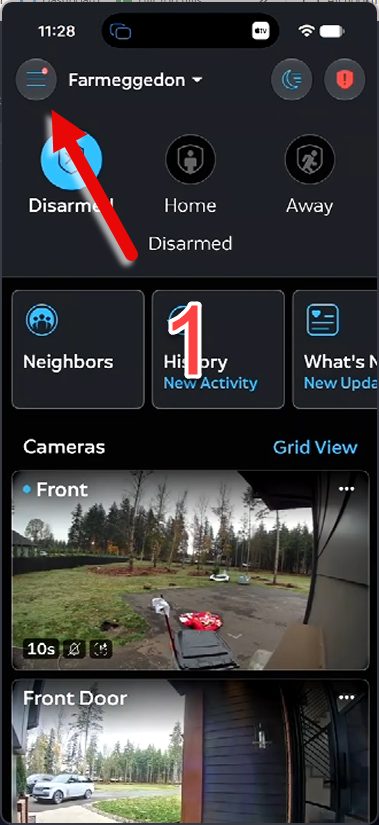
1Open the Ring app and tap the menu button (☰) at the top left.
-
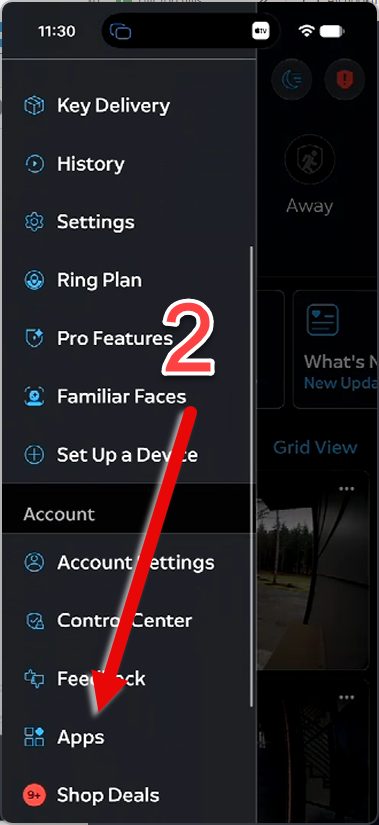
2Tap "Apps".
-
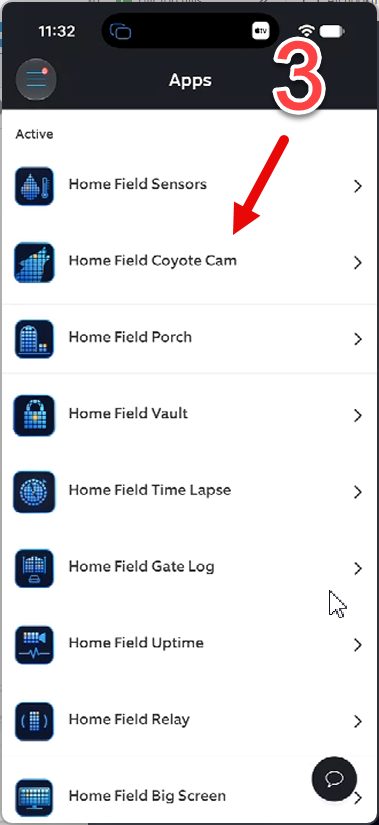
3Tap your Home Field app, for example Home Field Coyote Cam.
-
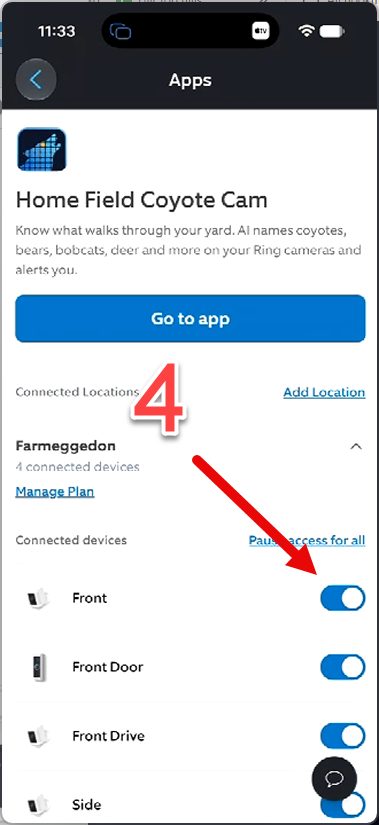
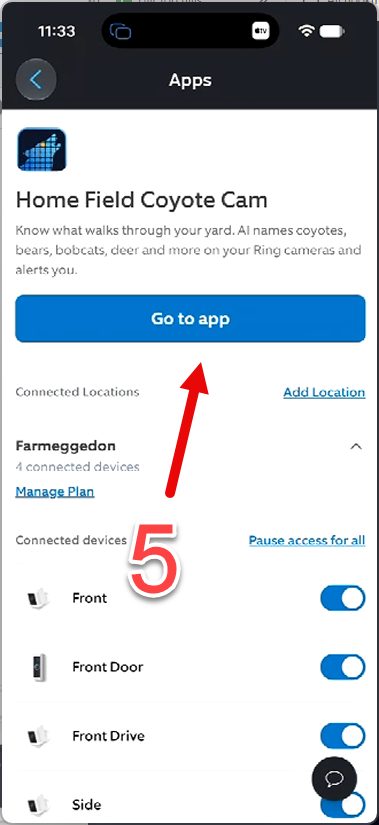
4Turn on every camera you want the app to watch.
-
5Tap "Go to app".
-
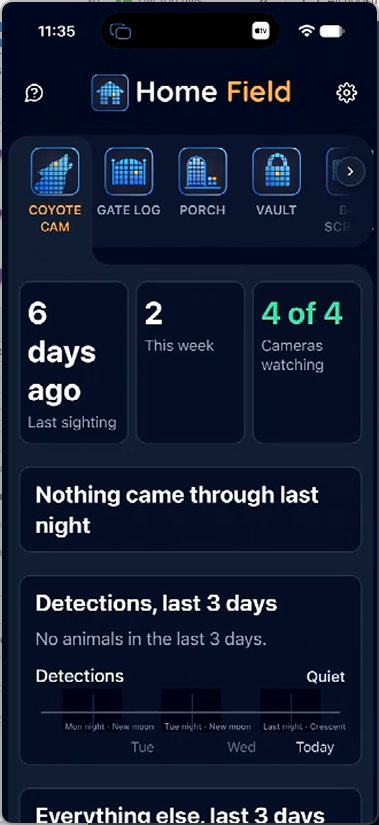
6You're set. New alerts show up in Home Field.
Still stuck? Email support@homefield.tv and we'll walk you through it. More help: Add an app · Remove an app · Support