

Remove a Home Field app from Ring
Removing an app unlinks it from your Ring account and stops it from seeing your cameras. Ring handles all billing for Home Field apps, so questions about a charge go to Ring's support in the Ring app.
The pictures show Coyote Cam. The steps are the same for every Home Field app.
-
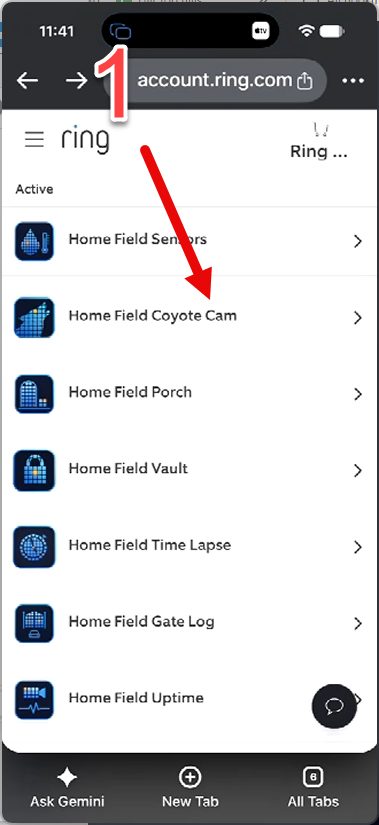
1Open Ring My apps (or in the Ring app: menu → "Apps") and tap the Home Field app.
-
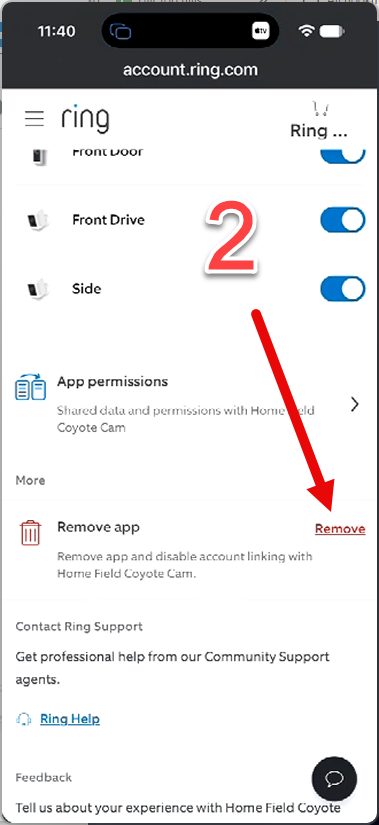
2Scroll down to "Remove app" and tap "Remove".
-
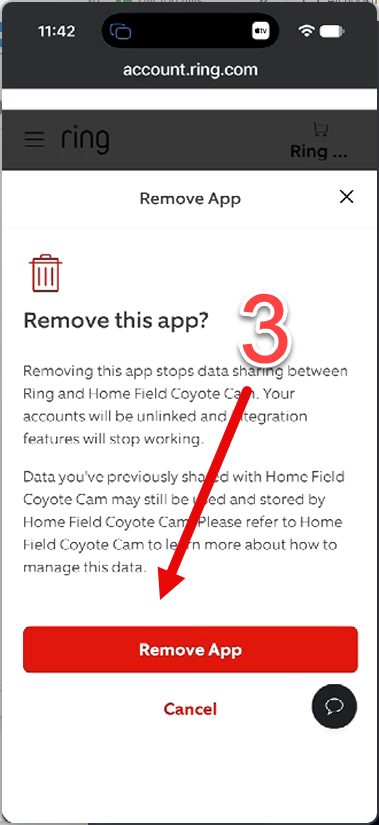
3Tap "Remove App" to confirm.
-
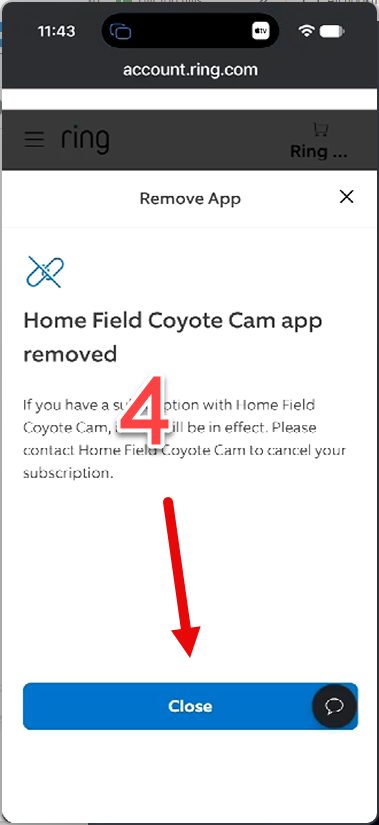
4Tap "Close". The app is no longer linked to your Ring account.
Still stuck? Email support@homefield.tv and we'll walk you through it. More help: Share cameras · Add an app · Support