

Add a Home Field app in the Ring app
Every Home Field app is added from the Ring Appstore inside the Ring app. Setup takes about two minutes.
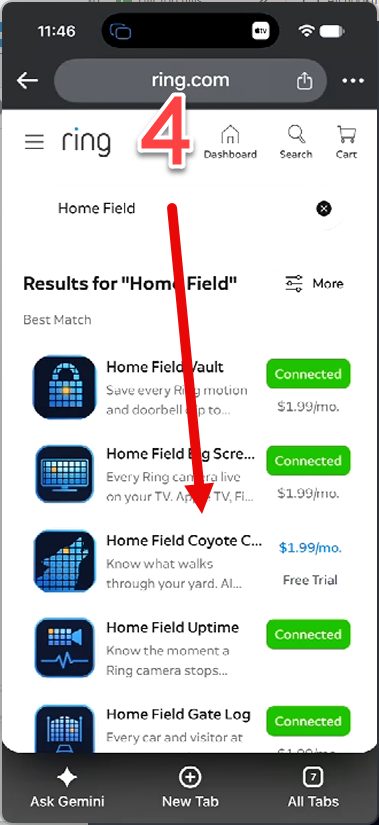
The pictures show Coyote Cam. The steps are the same for every Home Field app.
-
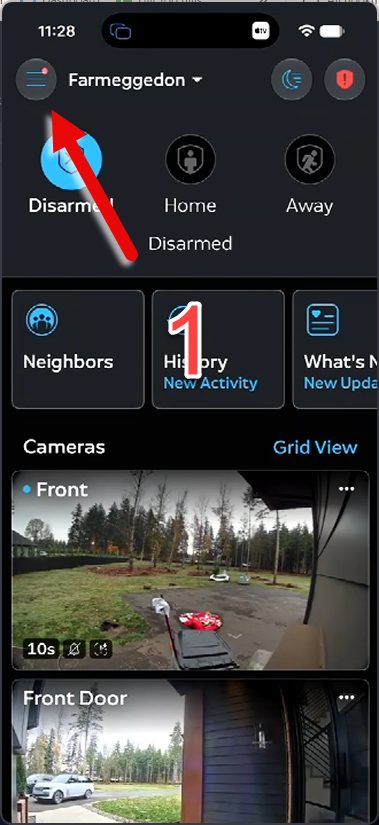
1Open the Ring app and tap the menu button (☰) at the top left.
-
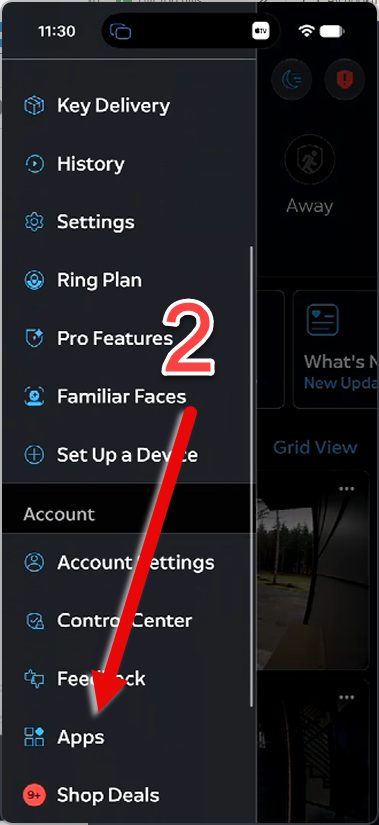
2Tap "Apps".
-
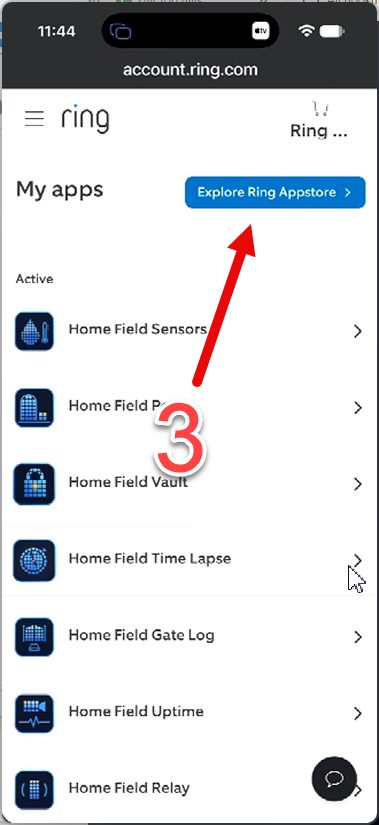
3Tap "Explore Ring Appstore".
-
4Search for "Home Field" and tap the app you want.
-
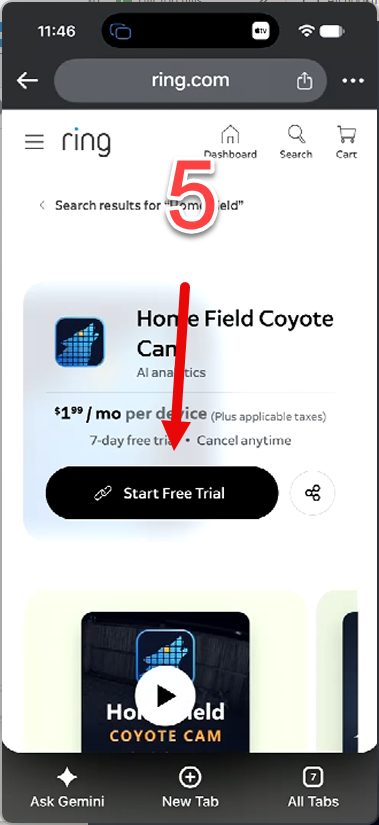
5Tap "Start Free Trial".
-
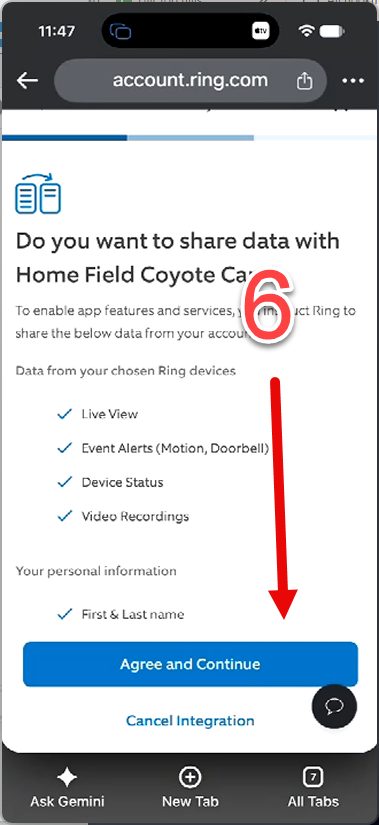
6Tap "Agree and Continue".
-
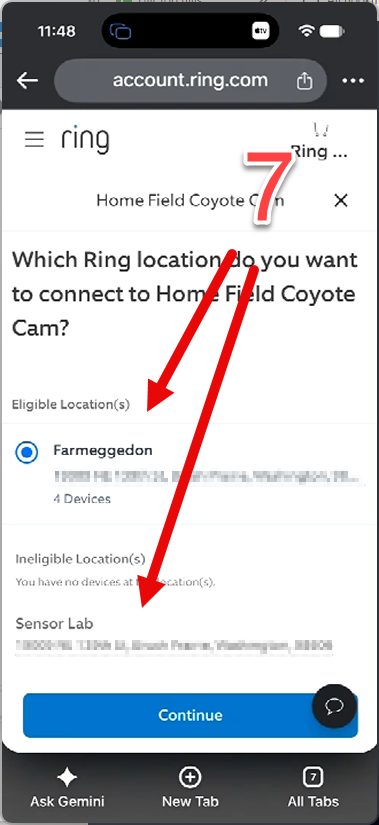
7Choose your Ring location.
-
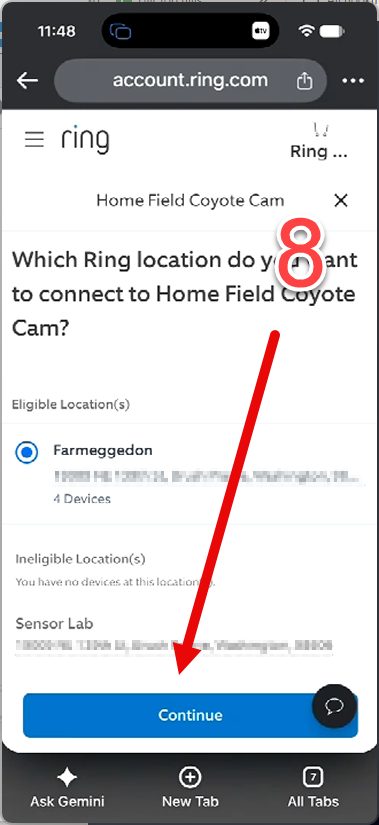
8Tap "Continue".
-
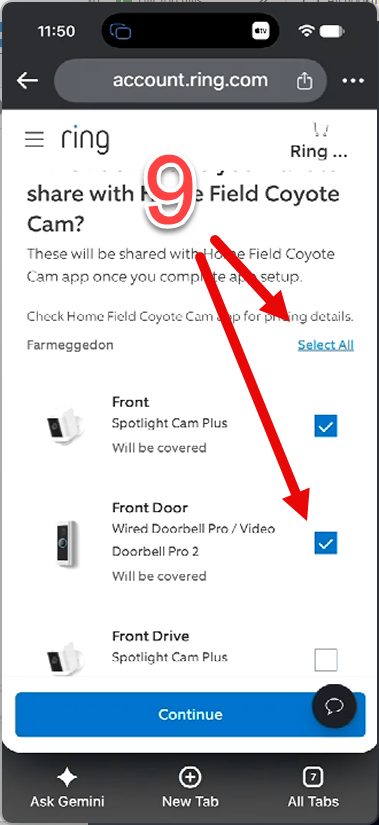
9Select the cameras the app should watch.
-
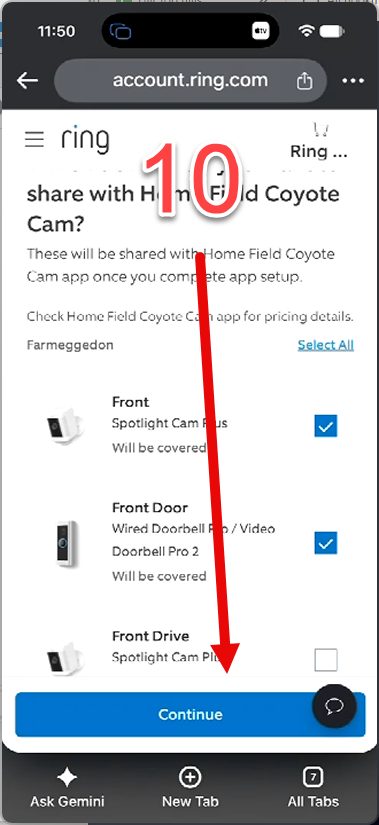
10Scroll down and tap "Continue".
-
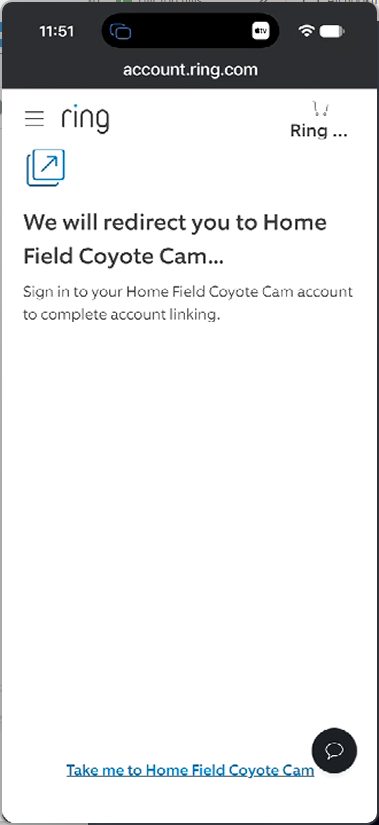
11Tap "Take me to Home Field" at the bottom of the page.
-
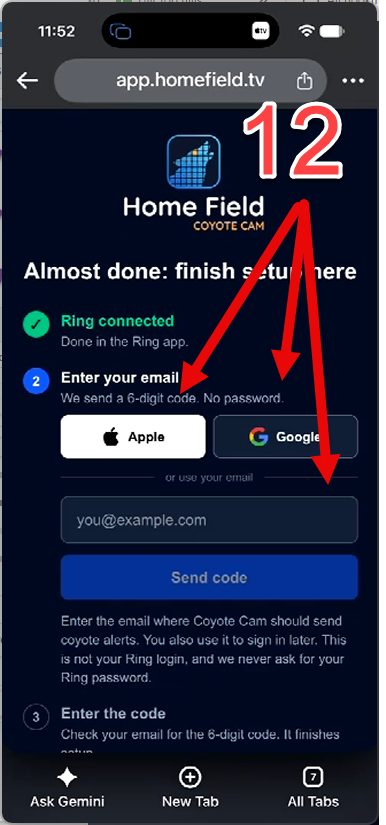
12Enter your email, or tap Apple or Google, then tap "Send code" and type the 6-digit code from your email.
-
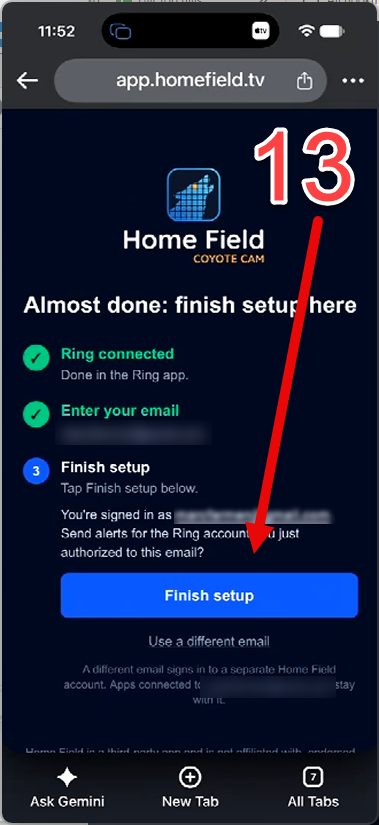
13Tap "Finish setup".
-
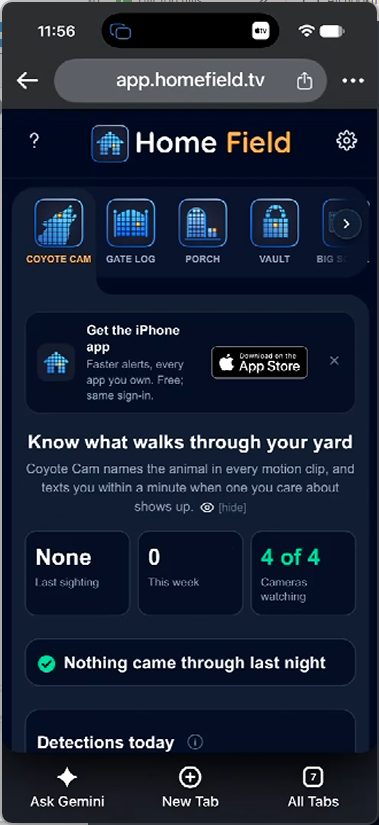
14You're set. Your Home Field app opens.
Still stuck? Email support@homefield.tv and we'll walk you through it. More help: Share cameras · Remove an app · Support